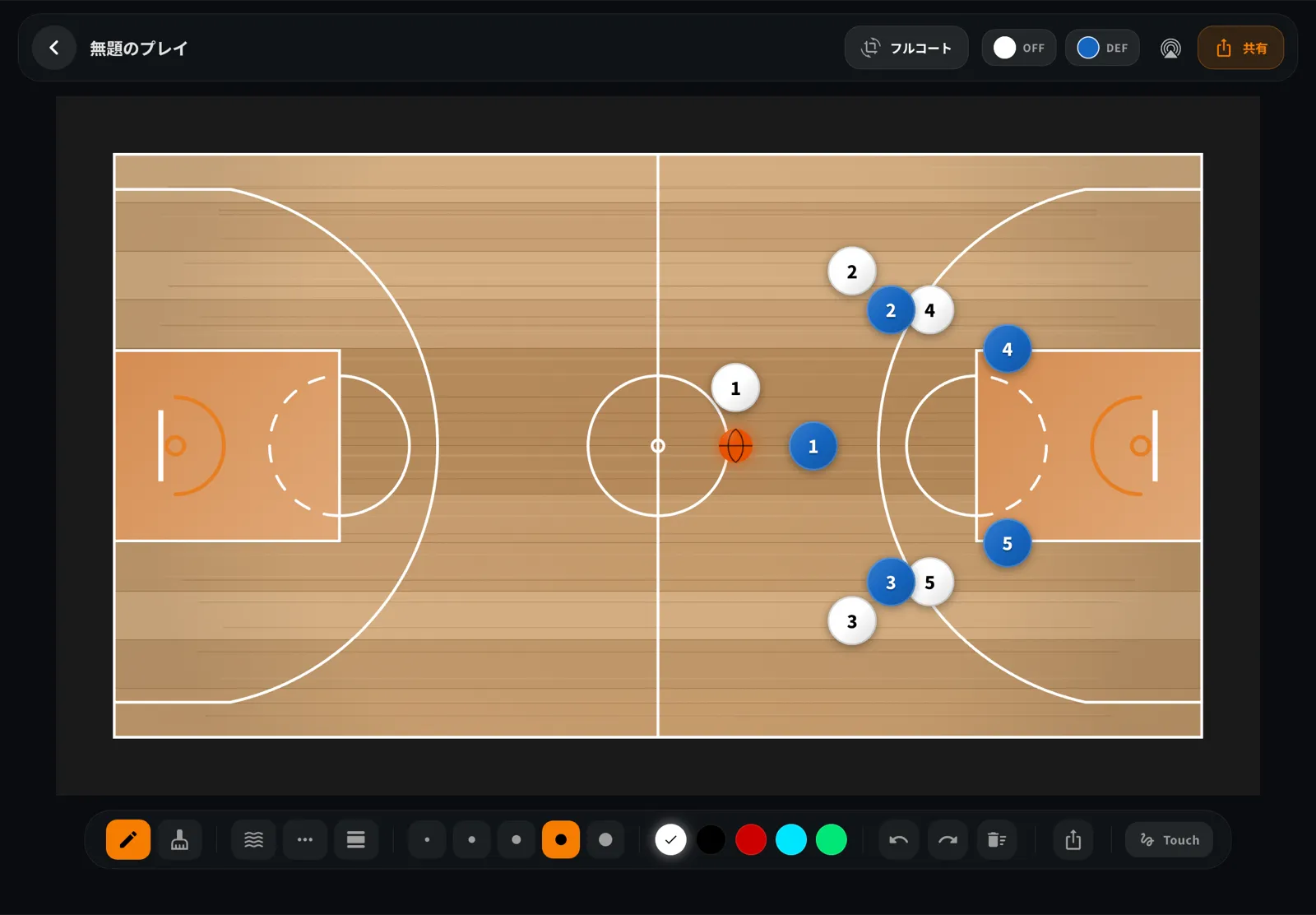
A play diagram works only when the people reading it agree on what its marks mean. A solid arrow might show a player's cut; a broken line might show a pass; a wavy line might show a dribble. But these are conventions, not one universal basketball code. Coaching materials can use different words or marks for the same action.
This guide compares common symbols, points out where references differ, and gives you a simple way to make a legend your team can follow. BoardStrategist is our own basketball strategy-board app; it appears below as one product example, not as the authority for coaching notation.
A quick key to common play-diagram marks
The table below summarizes patterns described in the sources linked at the end of this article. Treat them as a starting point. Put the legend on the diagram whenever the reader could interpret a mark in more than one way.
| Action | Common mark | What to label or check |
|---|---|---|
| Player movement or cut | A solid line, often with an arrow | Make the direction clear. Some resources use arrows for player movement generally rather than reserving a mark for cuts. |
| Pass | A dotted or dashed line from passer to receiver | References differ on whether they call the line dotted or dashed. Keep your own label consistent. |
| Dribble | A wavy or zigzag line | Identify the ball handler if the diagram does not make it obvious. |
| Screen | In some diagrams, a short bar across the movement line, creating a T shape | Not every reference supplies a screen symbol. Label it if your group uses one. |
| Handoff | No single mark is established by the sources checked | Define a team mark and add it to the legend, or label the action in words. |
The distinction between a pass and a dribble is especially useful: the broken line identifies a pass, while the wavy line identifies a dribble. These marks are visual conventions; they do not claim to trace the ball's literal path, which may include a bounce. The mark should make the next action easier to understand, not add decoration.
Player, defender, and ball markers
Some coaching diagrams number offensive players from 1 to 5; others put the number inside a circle. The ball carrier may be shown by circling that player's number or by placing a small dot beside the marker. Defenders are often marked with an X, sometimes followed by a number such as X1.
Numbering can connect a defender to the offensive player they are guarding. In the FIBA/WABC coaching material linked below, defender numbers are used this way. Check the particular reference's legend before assuming that a number identifies a jersey, a position, or a matchup.
You can make the ball's location easier to follow by showing it as a separate marker or by clearly labeling which player has possession. If several marks overlap, add a second panel or a short note instead of shrinking the labels until they are hard to read.
Why sources do not always use the same symbols
The FIBA/WABC Start Coaching practice-plans material describes passes with a dotted line and uses arrows to show player movement. The coaching explanation from The Hoops Geek describes a pass with a dashed line, a solid arrow for a cut, a wavy line for a dribble, and a T-shaped end mark for a screen. The vocabulary is close, but not identical.
That difference matters when you combine diagrams from multiple coaches, manuals, or seasons. A player may read a dotted pass line correctly in one handout and then see the same line used for a different action in another. “Dotted” versus “dashed” can also be a naming difference rather than a different intention.
Handoffs are less consistent in the materials cited here. Some explanations show a short crossing mark; others do not define a symbol. Screen marks also may be absent. The references we reviewed are not a survey of every league, country, or coaching program, so they cannot establish which convention is most common in your local setting.
For that reason, avoid calling one informal drawing convention an official rule. If a diagram must meet a team's, league's, or tournament's own format, follow that organization’s instructions.
Build a legend your players can use
Here is a short process for making diagrams easier to read during a meeting or before practice:
- Choose the question the diagram answers. For example: “Where does the weak-side player move after the pass?” Avoid putting every option and counter into the first panel.
- Set the court view and starting positions. State which basket is being attacked and label players consistently. A mirrored court can make a familiar play look like a different one.
- Choose one mark per action. Decide how your team will distinguish a pass, dribble, cut, and screen. If you use a nonstandard mark, show it in the legend.
- Show direction and sequence. Use arrows only if your group understands what they indicate. If the tool or drawing does not provide a clear arrow, use numbered steps or a short written cue.
- Do not rely on color alone. Pair colors with line shapes or labels so the diagram still works in grayscale and remains easier to distinguish for teammates with different color perception.
- Ask someone who did not draw it to explain the first action. If they have to guess, revise the legend or simplify the diagram before sharing it.
- Version the handout when conventions change. A date or version label helps prevent an old legend from circulating after the team updates it.
A simple example
Imagine a hypothetical diagram in which Player 2 passes to Player 1 and then cuts toward the lane. If both the pass and the cut use the same solid line, a reader may mistake the ball's path for Player 2's route. A legend could use a dashed line from 2 to 1 for the pass and a solid arrow from 2 toward the lane for the cut. Add a separate screen mark only if the play includes a screen, and define that mark in the same legend.
This is an illustrative example, not a report of a real team's play. The important check is that a reader can tell who moves, where the ball goes, and what happens next without relying on an unwritten convention.
Drawing the play in BoardStrategist
When a digital tactic board fits your workflow, BoardStrategist's English feature page describes a board with solid, dashed, and wavy drawing tools, an eraser, movable offense and defense tokens, frame-by-frame play animation, and image export. You can review the current tactic-board feature description before deciding whether it suits your team. If it fits, the App Store listing shows current availability and purchase options for your storefront.
The English feature page lists solid, dashed, and wavy drawing tools, and its FAQ lists screen symbols among included tactics-board features. It does not explain the exact screen-symbol control or whether its mark matches the T-shaped convention used by the coaching source above. The English feature page also does not describe arrowhead behavior. Keep a small legend when a mark needs explanation, and check the current app before relying on an exact control. The published English feature page lists image export; this guide does not claim GIF or video export. For another way to make a shared drawing readable, see Basketball Diagram Conventions Your Team Can Read.
Common mistakes to avoid
- Changing a mark's meaning halfway through a sequence. Keep the legend stable across panels. If the play changes to a new phase, label the phase rather than reusing a line for another action.
- Using color as the only signal. A red line and a green line can become indistinguishable in a grayscale printout or on another display. Add different line styles or labels.
- Drawing a screen without making the contact point clear. If the mark is unfamiliar, label the screener and the intended route. Do not assume every reader knows a T-shaped mark.
- Showing a route without its direction. A line alone may show where a player goes but not when. Add an arrow, numbered steps, or a brief cue using the team's agreed notation.
- Packing too much into one panel. Split the initial action and the read that follows into separate panels. A diagram is a way to explain a decision, not a test of how much detail can fit on a page.
- Treating a drawing as a rules ruling. A diagram can show a planned action, but it does not establish whether a play is legal under a particular competition's rules or local interpretation.
Frequently asked questions
What do solid, dashed, and wavy lines mean in a basketball play diagram?
Common references use a solid line or arrow for player movement, a dotted or dashed line for a pass, and a wavy or zigzag line for a dribble. Practices vary, so include a legend when readers may know a different convention.
Is a dotted pass line different from a dashed pass line?
Not necessarily. Some references use “dotted” and others “dashed” for the broken line that represents a pass. Define the line in your diagram rather than relying on the name alone.
How should I show a screen?
Some diagrams put a short bar across a player's movement line to make a T shape. Other resources omit a screen symbol. If you use the T mark, label it in the diagram's legend and make clear which player is screening.
Do these symbols count as official basketball rules?
The symbols in this article are diagramming conventions from coaching resources, not a universal rulebook notation. Follow your team's or event organizer's instructions where they provide a required format.
Sources
- FIBA/WABC, Start Coaching practice plans (PDF), printed pp. 6–7 (PDF pp. 6–7), “1.2 Understanding diagrams.” Paraphrased source details: offensive player markers; X/X1 defenders and matchups; dotted pass line; zig-zag dribble path; arrow for player movement; ball-possession and foot markers.
- The Hoops Geek, “How to Draw & Read Basketball Plays”, used as a secondary coaching explanation, not as an official standard.